

Using GeyserMC to enable Crossplay between Minecraft Java & Bedrock
Quick Links
- Installing GeyserMC through the Blacksmith ‘s Portal
- Installing GeyserMC manually or on another host
Many of our best Minecraft memories came from playing on Minecraft servers together, which is one of the reasons we started our host in the first place. If you’re looking to start a Minecraft server, you probably know that Minecraft: Java Edition, and Minecraft: Bedrock Edition are not the same.
Minecraft: Java Edition is the original edition of the game, called that because it is built on the Java platform. Minecraft: Bedrock Edition is the console version, built from the ground up to work well on all consoles.
While both versions of Minecraft play like Minecraft, a Bedrock Edition player cannot connect to a Java Edition server by default. That’s where GeyserMC comes in.
What is GeyserMC?
GeyserMC is a plugin you can install on your Java Edition server that allows Bedrock players to join it. It also means that Bedrock players will be able to access any additional plugins that may be installed on your server.
Installing GeyserMC with the Blacksmith’s Portal
You will need an additional port allocated to your server in order to use GeyserMC. To do so, contact support if you do not have any free allocations.
- Login to the AleForge Panel and select your server
- If you don’t have any plugins installed, you’ll need to go to
Versionsand select a GeyserMC compatible plugin loader. These are Velocity, Bungeecord, and Spigot - Go to
Templatesand select GeyserMC
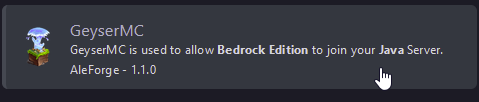
- Fill out the setup page with your servers configuration and click
Install
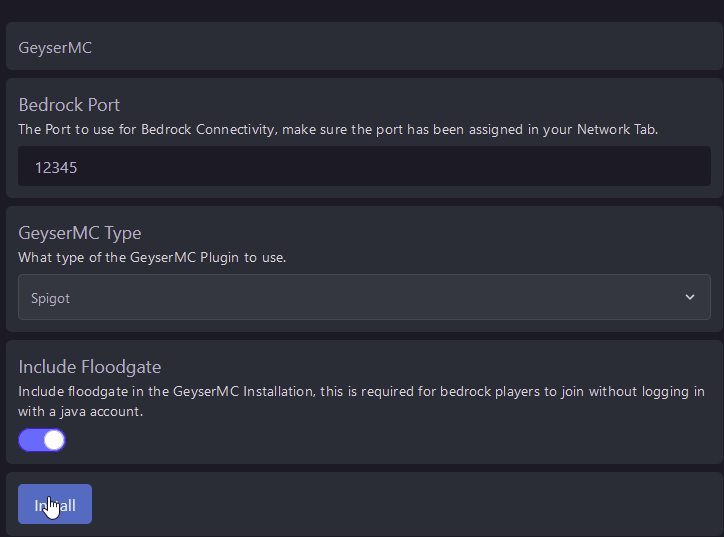
- Your server will now be setup to use GeyserMC! In order for Bedrock players to connect to your server, they will have to use the port set during the GeyserMC configuration. e.g. play.aleforge.net:12345
Installing GeyserMC Manually
GeyserMC requires an additional port to function. If you are self-hosting you will need to forward an additional port for your Minecraft server. If you are on another host, you will have to contact their support to assign another port to your server.
- If you don’t have any plugins installed yet, you’ll need to install a plugin loader compatible with GeyserMC. e.g. Bungeecord, Velocity, Spigot. For this guide, we’ll be using Spigot.
- Follow the instructions to install Spigot.
- Once installed, create a plugins folder in the file directory of your server
- Download GeyserMC and install it to the plugins folder.
- It is highly recommended that you download and install Floodgate as well. This will allow Bedrock players to connect without needing a Java Edition account.
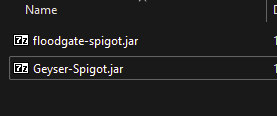
- Run the server once. This will allow GeyserMC to generate its config files.
- Open
plugins/Geyser/config.yml - Set the Bedrock listening port. This will be the additional port you forwarded or got from your host.
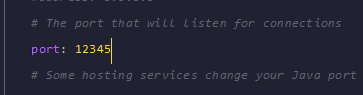
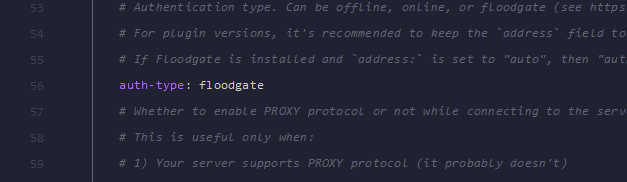
- If you installed Floodgate, change the auth type to Floodgate
- Reboot your server and now Bedrock players can connect to the IP address and port set for your server!