

How to enable txAdmin for your server
txAdmin is a useful tool that allows you to manage your server remotely. Here’s how you can enable it on your server.
Enabling txAdmin
- Go to the AleForge Panel
- Go to
Startup - Toggle the
txAdminvariable - Take note of the
txAdmin Portvariable as we will need this later - Restart your server
Accessing the txAdmin Panel
- Go to the Dashboard and take note of your
Server IP. This is your servers public IP. - Start your server
- A pop up in the console with the appropriate link will appear. Click this link and take note of the pin
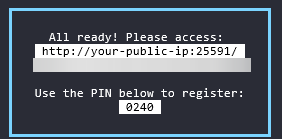
- Enter your pin at the setup page for txAdmin
- Set a backup password for your server and take note of it
- Add a
Server Nameto your server through the txAdmin panel - Under
Deployment TypeselectExisting Server Data
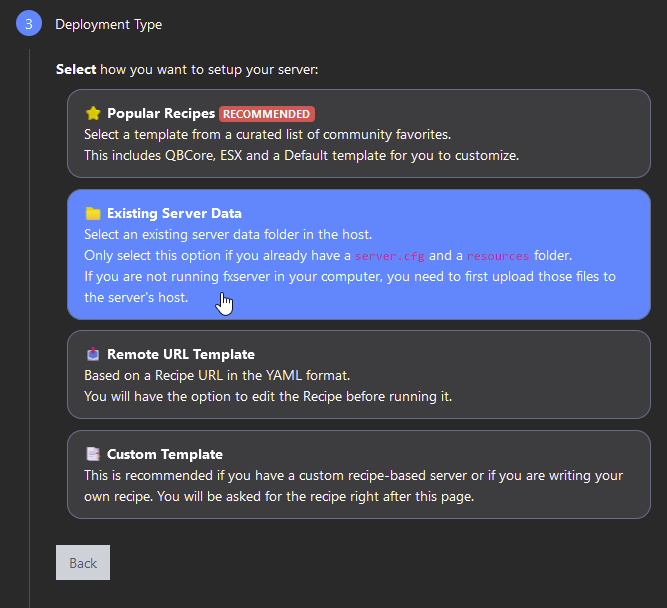
- Enter the path
/home/container/
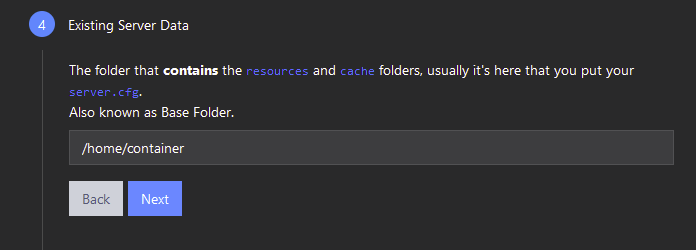
- txAdmin should automatically discover your
server.cfgfile, in which case you can simply hitSave
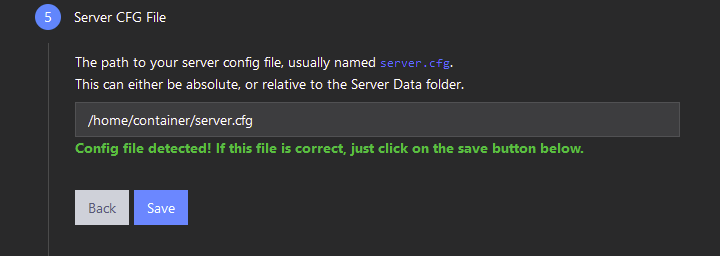
- Save and start your server and txAdmin will successfully be enabled on your server