

How do I change the game mode on my Rust server?
Quick Links
- Using AleForge’s Blacksmith’s Portal
- Self-Hosting/Other Providers
Rust allows you to change the game mode of your server from vanilla to hardcore and softcore modes. These modes change how the game plays out and can make the game harder or easier than vanilla, depending on what you choose. Here’s how you can change them on your server.
Changing the Game Mode of Rust
Using Blacksmith’s Portal
- Go to the Blacksmith’s Portal
- Open
Startup - Look for
Gamemode - Change this option to the desired option
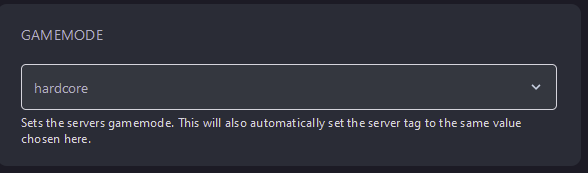
- Reboot your server
Self-Hosting/Other Providers
- If you are self-hosting or using another provider, Rust configures many of it’s options through it’s startup command
- Locate where your Rust server is installed
- Edit the startup script for your server with the following line
+server.gamemode \"<gamemode>\"
- Save the script and reboot your server
Closing
Your server will now start in the game mode you set and be automatically tagged with that mode, so you don’t have to worry about manually tagging it.
Get your own super-powered and affordable Rust server today!