

How to Optimize a Minecraft Fabric Server
AleForge Minecraft servers ship with custom Java arguments that optimize Minecraft’s performance. Minecraft can still be a very resource-intensive game, especially with mods. Fortunately, we can take some steps to help fix this.
Pre-generating Your World
Generating chunks in a Minecraft world takes a significant amount of work from the CPU. If you have ever tried to play Minecraft while someone else is out exploring new chunks, it’s very possible you’ve experienced lag because of this.
To overcome this, you can pre-generate your world. This means that you generate part of the world before it is explored.
[You can check out our full guide on pre-generating your world here.](https://help.aleforge.net/article/134-how-to-pre-generate-your- minecraft-world)
Scheduled Restarts
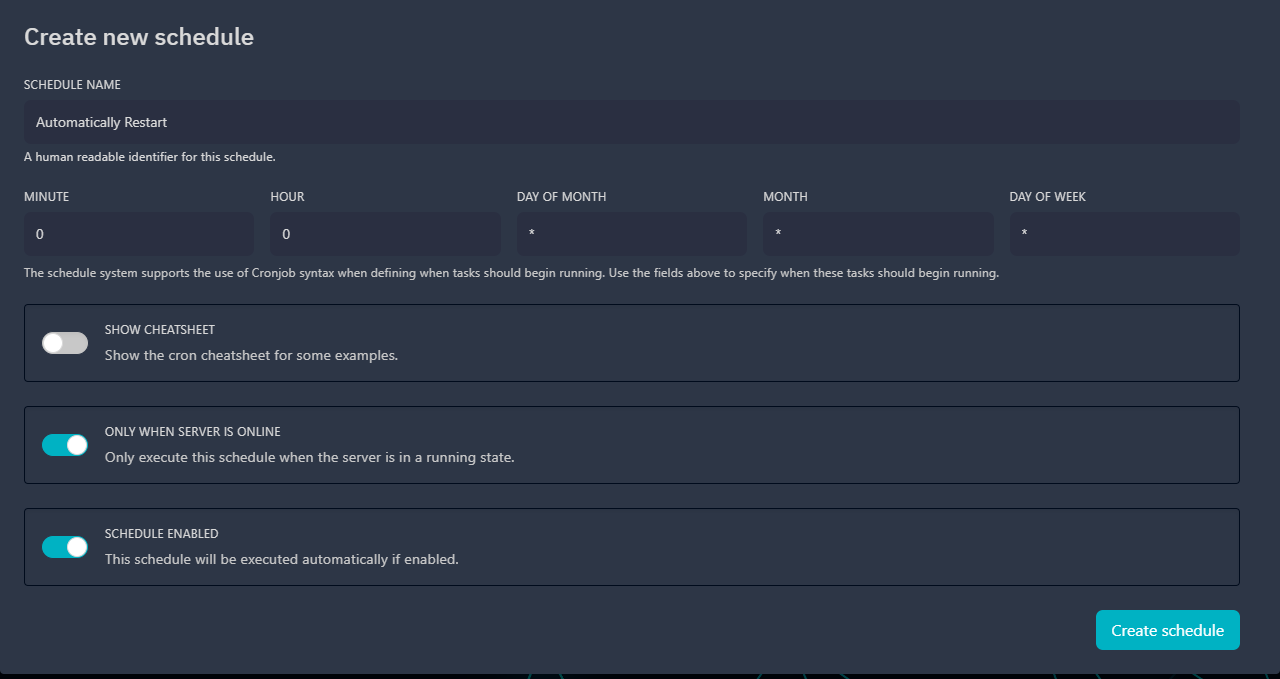
Restarting your server regularly is a great way of clearing out cached resources that aren’t necessary anymore. Fortunately, we can automate this process by scheduling restarts with the AleForge Panel.
- Go to the AleForge Panel
- Click
Schedules - Click
Create Schedule. To restart at midnight UTC, set the Cronjob timer to 0 0 * * * - Click
New Task - Change the dropdown to
Send Power Actionand set the power action toRestart Server - Your server will now automatically restart.
Mod Optimizations
There are several mods you can install for Minecraft that will help optimize the server’s performance.
[You can check out our list of these mods for Fabric here](https://help.aleforge.net/article/127-performance-mods-for-minecraft- fabri)
AleForge recommends making a backup of your server before installing any additional mods