

How to install mods on your Mindustry Server
Uploading mods to your Mindustry server is easy and is very similar to uploading mods to a Minecraft server, minus the additional step of installing a modding API.
Downloading Mods
There are many mods for Mindustry that you can download from each mod authors
GitHub. These mods are stored as .jar files. Here is a list of all
repositories tagged with mindustry- mod
Uploading Your Mods
- Go to the AleForge Panel
- Stop your server
- Go to
File Manager - Navigate to the
config/modsdirectory - Upload any
.jarfiles you have here.
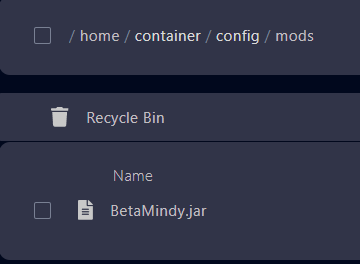
- Start your server
You can use the console command mods in the server console to find out what
mods are installed on your server. [You can check out the full list of
Mindustry console commands here](https://help.aleforge.net/article/565-all-
mindustry-console-commands)