

Installing Limestone on your Unturned Server
Quick Links
- Using AleForge’s Blacksmith’s Portal
- Self-Hosting/Other Providers
Want to play Limestone with your friends? Since it’s a curated map it will need to be installed through the Steam Workshop. Here’s how to load it onto your Unturned server.
Installing Mods on your Server
Using Blacksmith’s Portal
- Open the Blacksmith’s Portal
- Stop your server
- Go to
Files - Navigate to the
WorkshopDownloadConfig.jsonfile. It will be located at/Servers/AleForge_Hosting - Open
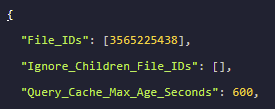
WorkshopDownloadConfig.jsonand add3565225438into the File_IDs array
- Once done, click
Save Content - Now, go to
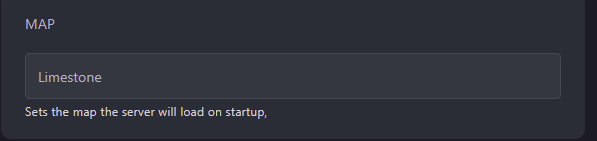
Startupand change the map to Limestone
- Start your server
Self-Hosting/Other Providers
- Stop your server
- Open the location of your servers’ files
- Navigate to the
WorkshopDownloadConfig.jsonfile. - Open
WorkshopDownloadConfig.jsonand add3565225438into the File_IDs array.
- Once done, click
Save Content - Now, open your
Commands.datand set the map to Limestone. - Start your server
Closing
Now you know how to load Limestone onto your server!
Get your own super powered and affordable Unturned server today!