

How to Download the World from your Minecraft Server
If you need to use your Minecraft world in singleplayer or to create your own backup, you can easily download the world to your computer.
- Log in to the AleForge panel: https://panel.aleforge.net and select your Minecraft server.
- Stop your server from the console page if it is currently running.
- Next, open the File Manager.
- Once open, locate your world folder. By default, it is named world. Check the Server Properties page if you are unsure of the world name.
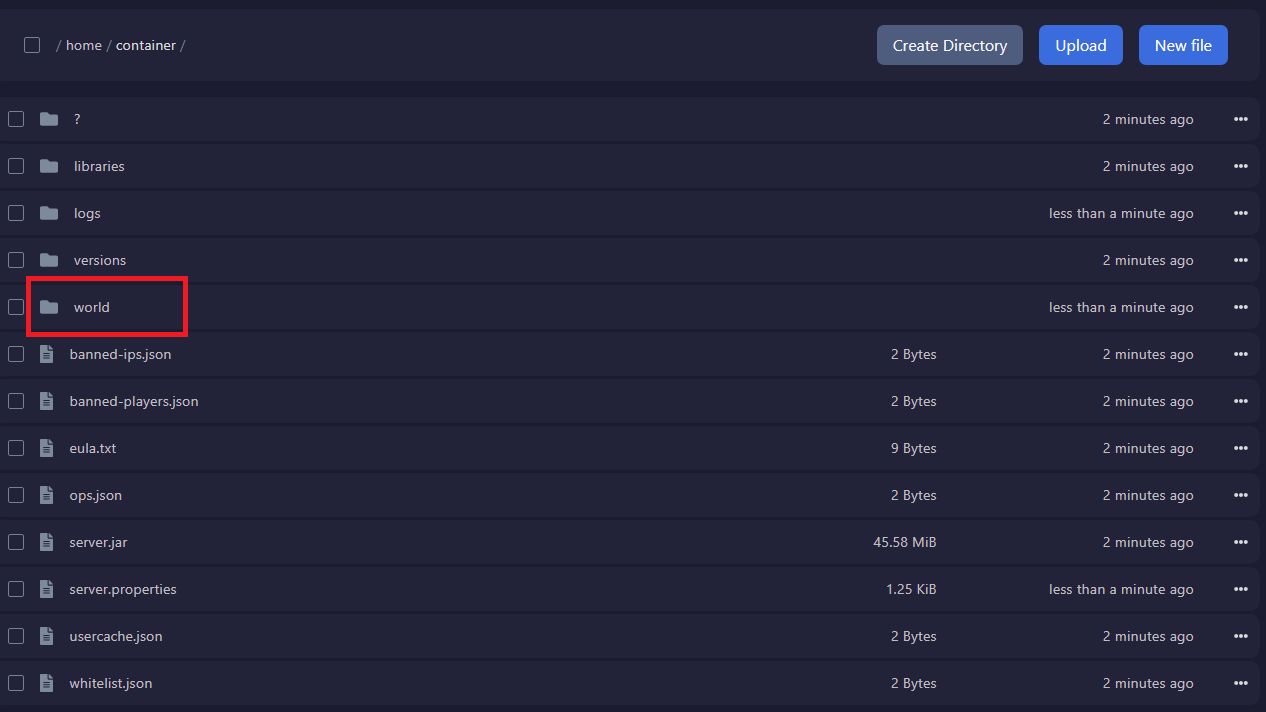
- Click the check box next to the world folder and then select Archive.

- Locate the created archive, click the three dots to the right of the file, and select download.
