

How do I connect to my ARK: Survival Evolved server?
Quick Links
- Using AleForge’s Blacksmith’s Portal
- Self-Hosting/Other Providers
A quick paragraph describing what we are going to accomplish with this article.
Connecting to your server
Using the Blacksmith’s Portal
- Open the Blacksmith’s Portal
- Take note of the name set for your server from
Startup
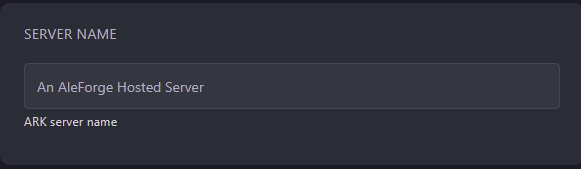
- Open ARK: Survival Evolved
- Click
Join Ark - Search for the name of your server in the server browser
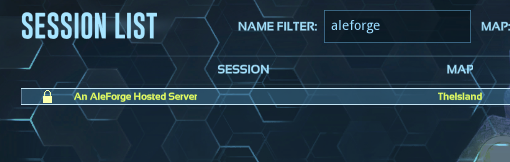
- Double click on your server to join
Self-Hosting/Other Providers
- Set the session name of your server in the startup flags in the startup script for your server. e.g.
?SessionName="An AleForge Hosted Server" - Open ARK: Survival Evolved
- Click
Join Ark - Search for the name of your server in the server browser
- Double click on your server to join
Closing
Now you know how to connect to your ARK: Survival Evolved server and start playing!
Get your own super powered and affordable ARK: Survival Evolved server today!