

How do I upload a Prospect to my Icarus server?
Quick Links
- Using AleForge’s Blacksmith’s Portal
- Self-Hosting/Other Providers
You can upload your singleplayer hosted games to your Icarus server.
Finding your Singleplayer Prospect
By default, Icarus stores singleplayer prospects to the following directory.
C:\Users\<USERNAME>\AppData\Local\Icarus\Saved\PlayerData\<YourSteam64ID>\Prospects
In this file you’ll find all of the Prospects you’ve created.
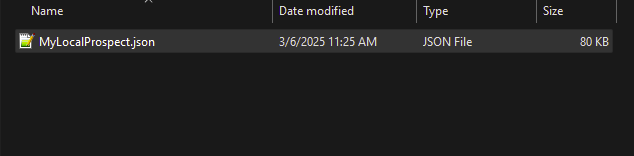
Uploading your Prospect to your Icarus server
Using Blacksmith’s Portal
- Open the Blacksmith’s Portal
- Stop your server
- Go to
Files - Navigate to
/Saved/PlayerData/DedicatedServer/Prospects - If you have not created any Prospects on your server before, you will have to create this file path
- Drag and drop your Prospect file to this folder
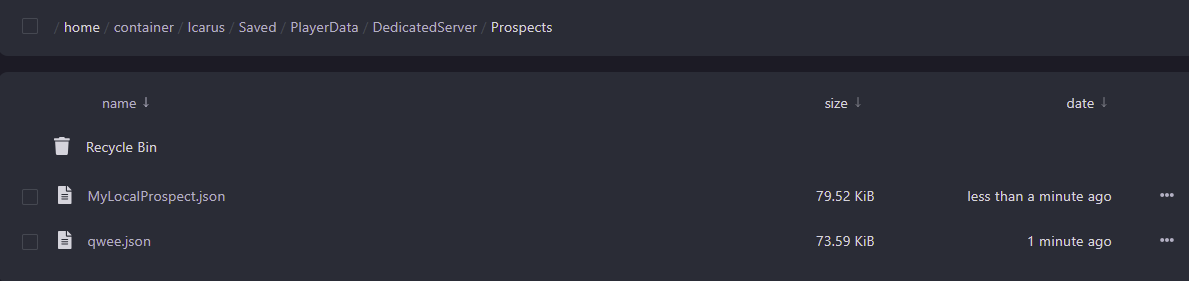
- Restart your server
Self-Hosting/Other Providers
- Stop your server
- Find where your Icarus server is installed
- Navigate to
/Saved/PlayerData/DedicatedServer/Prospects - If you have not created any Prospects on your server before, you will have to create this file path
- Drag and drop your Prospect file to this folder
- Restart your server
Closing
Now you know how to upload the Prospect from your singleplayer Icarus games to your server!
Get your own super powered and affordable Icarus server today!