

How do I connect to my Veloren server?
Once you have bought and started your Veloren server, it’s time to connect to it.
- Go to the AleForge Panel
- Go to
Consoleand take note of the IP and port. This should look something likeva2.aleforge.net:12345 - Launch Veloren
- Enter your username and password
- In the bottom box, enter the IP and port from the
Consolepage
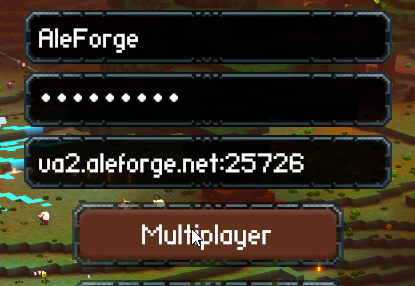
- Click Multiplayer
You will now be connected to your Veloren Server.