

How do I disable anti-cheat on my ARK: Survival Evolved server?
Quick Links
- Using AleForge’s Blacksmith’s Portal
- Self-Hosting/Other Providers
You may want to disable Battle Eye Anti-Cheat on your server to allow previously banned players to connect to your server. Here’s how you can do that.
Title of the section we are completing
Using Blacksmith’s Portal
- Open the Blacksmith’s Portal
- Go to
Startup - Toggle
Battle-Eyeoff
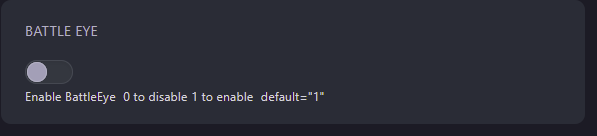
- Restart your server
Self-Hosting/Other Providers
- Open your servers installation directory
- Open the startup script for your server
- Add the following line
-NoBattleEyeto the end of the script - Restart your server
Closing
Now you know how to disable the anti-cheat on your server!
Get your own super powered and affordable ARK: Survival Evolved server today!