

How do I upload my own world to my Stationeers server?
To use your own world with your Stationeers server follow the steps below.
- Go to the AleForge Panel
- Stop your server.
- Find your Stationeers server. If you are uploading a singleplayer world, those are typically stored at
C:\Program Files (x86)\Steam\steamapps\common\Stationeers\ - Compress your world folder to a
.zipfile. - Upload your world to the
savesdirectory of your server. - Right click on your uploaded file and select
Unarchive
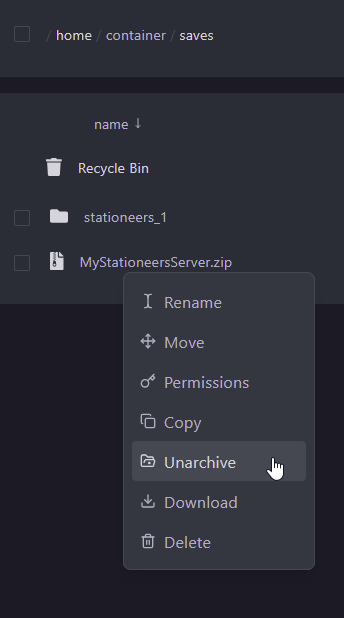
- Open the Startup tab
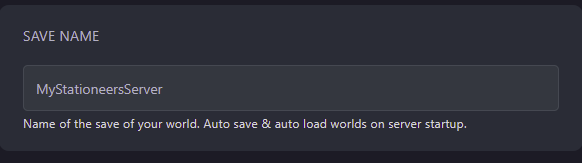
- Change the
Save Nameto match your uploaded world. Make sure the name does not include any special characters. If it does rename the world file using theFile Manager
- Start your server back up from the console page