

How do I connect to my Project Zomboid server?
You can connect to your Project Zomboid server in just a few easy steps. Here’s how.
- Go to the AleForge Panel
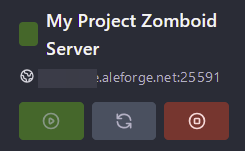
- Take note of the hostname and port as you will need this to connect
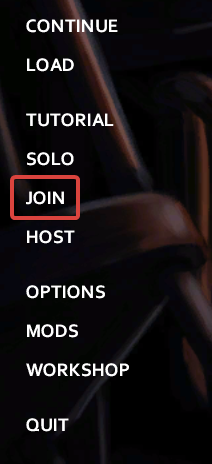
- Open Project Zomboid and select
Join
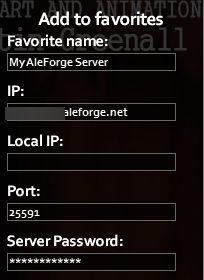
- Under
Add to Favoritesenter in the appropriate information
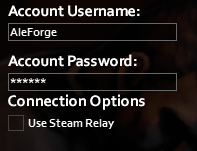
- Create your server account and password so that you can join the server
- Click
Save - Now you can double click on your server in the favorites tab to join it