

How do I use Game Swap?
Game Swap is an AleForge Panel exclusive feature that allows our customers to switch their game servers between any of our hosted games. Combined with Server Splitter customers can run multiple servers of different games off of one plan.
Customers are responsible for ensuring their current plan has enough resources to support the game they switch to. If you are unsure contact support before switching games.
How to Swap Games
- Go to the AleForge Panel
- Ensure that your server is stopped
- Go to
Backuppage and make a backup if you do not wish to lose any data. You can also manually backup any data you want fromFiles - Go to
Settingsand select the game you would like to change to
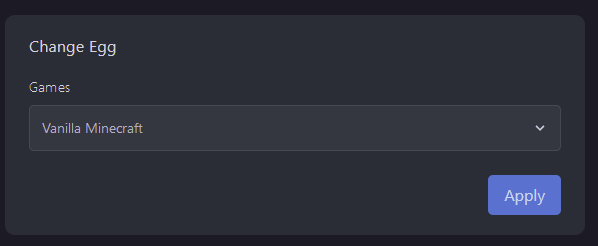
- Click
Apply - It is highly recommended that you tick
Wipe Server Filesto avoid any issues with similar files between games
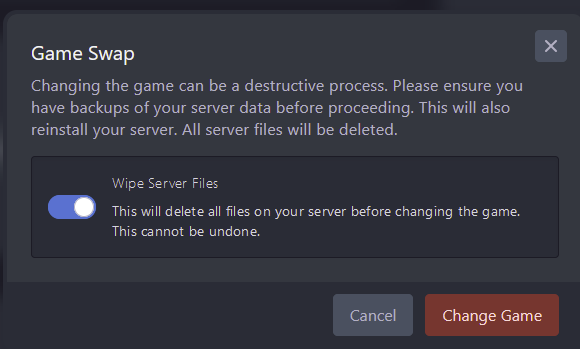
- Select
Change Gameand wait for the installation to finish - Customize your server from the Startup Page
- Start your new server up and have fun
If at any time you run into issues please reach out to us using any of our support channels: Discord ticket, Live Chat, or Support ticket