

How to install mods for tModloader 1.4
Video Guide
Downloading Mods
To download and activate your mods please do the following:
- Launch tModloader and select Workshop
- Next click
Download Mods - Download all the mods you want to have installed on your server
- Click
Back - Select
Manage Mods - Enable every mod you want to be installed on your server
- Back out and go to
Mod Packs - Select
Save Enabled as New Mod Pack
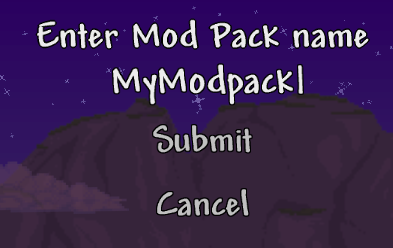
Activating the Mods on Your Server
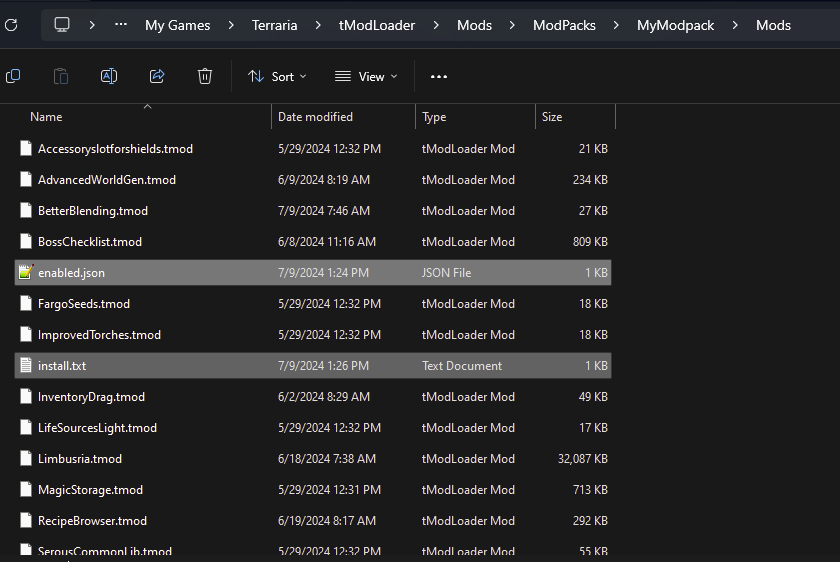
- On your computer, open your tModloader mods config folder. On Windows, the path will be similar to
C:\Users\UserName\Documents\My Games\Terraria\tModLoader\Mods\ModpackName\Mods - Next, go to the AleForge Panel
- Stop your server
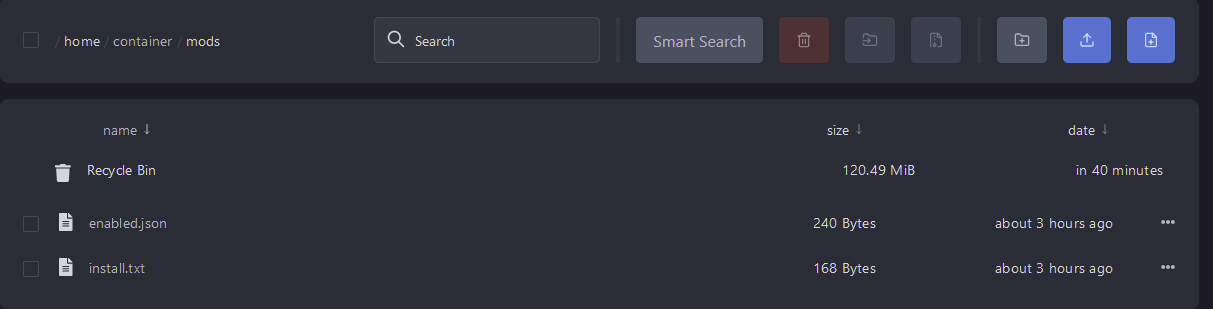
- Head to the File Browser
- Open the
Modsfolder - Click and drag the
enabled.jsonand theinstall.txtfiles to yourModsfolder on your server
- Go to
Settingsand clickReinstall Server
This is a soft reinstall and should not touch your world. However, if you are changing mods on an existing world it is recommended to create a backup before changing your mods.