

How to integrate Discord with your Project Zomboid server
Project Zomboid supports Discord integration with your server. This means that
anything typed in /all chat will be visible in a Discord text channel and
anything typed in that Discord text channel will be visible in Project
Zomboid.
To enable Discord integration you will need to have admin rights in the Discord server you wish to integrate
Creating a Discord Bot
- Go to the Discord Developer Portal
- Click
New Application - Give your bot a name and click
Create
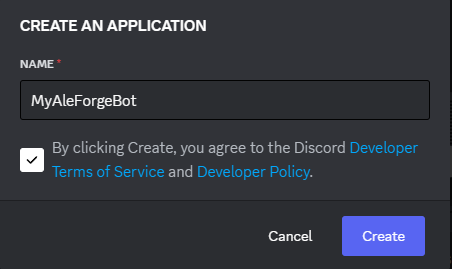
- Navigate to the
Botmenu - Reset the bot token and then copy it. You will need this later on.
Setting up OAuth2
In order for our bot to be secure and have the correct permissions, we will have to enable OAuth2
- Navigate to the OAuth2 menu.
- Click
Add Redirect - You will be asked to provide one a URI for authentication to work. If you have a website you can provide a link to it that will redirect to a Discord invite for your bot. If you do not have a website you can use the link below as a template. Be sure to replace [CLIENT ID] with your Discord client ID.
[https://discordapp.com/oauth2/authorize?&client_id=[CLIENTID]&scope=bot](https://discordapp.com/oauth2/authorize?&client_id=\[CLIENTID\]&scope=bot)- Save your changes after adding this link.
- Under
Scopes, checkbot
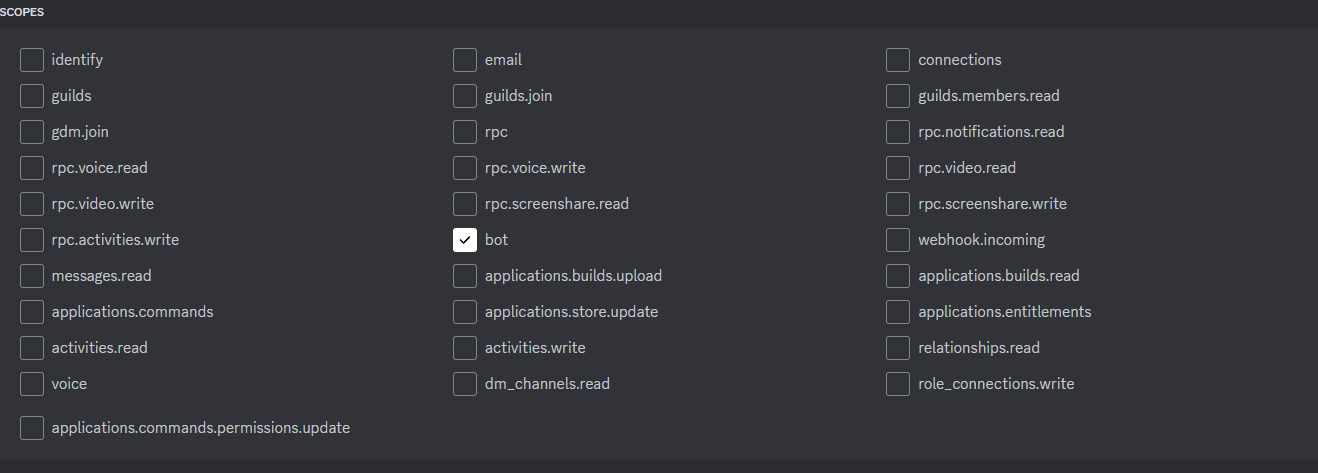
- Select your redirect URL from the drop down

- Under
Bot PermissionscheckAdministrator - Copy the generated URL and paste it into your web browser.
- Invite your Discord bot to the Discord server you wish to have integrated with Project Zomboid.
Setting up Discord Integration on your Project Zomboid server
Now that we have set up a bot and invited it to our server, we can finally integrate it to our Project Zomboid server.
- Go to the AleForge Panel
- Navigate to
./cache/Server/dedicated.iniThis may be a different name if you changed your save name fromStartup - Find
DiscordToken=and enter the token you copied from Creating a Discord Bot - Find
DiscordChannelID=and enter the ID of the channel you wish the Project Zomboid messages to appear in. You can get the ID of a Discord channel by right clicking on it and selectingCopy Channel ID - Restart your server to apply the changes
Leave DiscordChannel= empty as the bot will not work if it is set to a value