

How to Fix the Port Closed Warning in Project Zomboid
When using an AleForge Project Zomboid server, you may receive the error:
“Port Closed” warning. Your performance may be severely affected because the game will rely on the Steam network, rather than a direct connection.
Fixing this error is simple, and our guide will explain the two common causes of this error.
Option 1: Joining the Server Correctly

Your port number will be different from the one displayed in this image.
You will receive this error when you join using the Steam Relay or launch the game with a Steam join link. When launching using either of these methods, it will use the old connection method and will not [directly connect](https://help.aleforge.net/article/640-how-do-i-join-a-project- zomboid-server).
Launch the game and add the server to the Join menu to fix this.
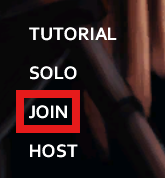
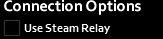
Make sure the Steam Relay option is disabled.
Option 2: The config file is not correct
This is very common when you upload your own world/config files and the UDPPort parameter was not updated correctly. [Follow this guide](https://help.aleforge.net/article/641-how-to-upload-my-server-ini-for- project-zomboid) on setting the port correctly.