

How do I become an admin on my Icarus server?
Quick Links
- Using AleForge’s Blacksmith’s Portal
- Self-Hosting/Other Providers
Icarus allows you to set admins for your server, allowing them access to commands to administrate player connections.
Setting an Admin in Icarus
Using Blacksmith’s Portal
- Open the Blacksmith’s Portal
- Go to
Startup - Set the
Admin Passwordserver’sand take note of it.
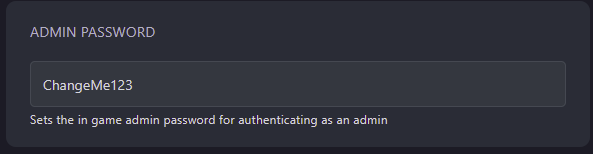
- Restart your server
- Launch Icarus and connect to your server
- In the chat, enter the command
/AdminLogin <Admin Password>
You’ll now be set as an admin on your server!
Self-Hosting/Other Providers
- Go to your servers files
- Open the Startup script for your server
- Open the config file located at
Icarus/Saved/Config/WindowsServer/ServerSettings.ini - Change
AdminPassword=to your desired admin password - Restart your server
- Launch Icarus and connect to your server
- In the chat, enter the command
/AdminLogin <Admin Password>
You’ll now be set as an admin on your server!
Closing
Now you know how to create admins for your Icarus server! The full list of admin commands and their functions can be found here.
Get your own super-powered and affordable Icarus server today!