How to set up multiple admins on your Killing Floor 2 server
You will have to enable Web Admin to set up multiple admins. [You can learn how to do that here.](https://help.aleforge.net/article/369-how-to-access-the- killing-floor-2-web-admin-page)
Enabling MultiAdmin
- Open the AleForge Panel
- Go to the
File Manager - Navigate to KFGame\Config
- Open KFWebAdmin.ini and add
AuthenticationClass=WebAdmin.MultiWebAdminAuthunder[WebAdmin.WebAdmin]

- Launch your server. This will generate a file called
KFMultiAdmin.ini
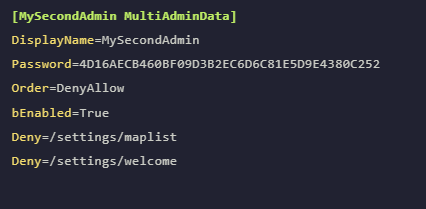
This file contains all the data for your admins. Leave this file as is as you can add admins to it through the Web Admin interface.
MultiAdmin logins are case sensitive so please be aware of that when logging in.
Creating MultiAdmins
- Open the Web Admin page of your server and login with the username
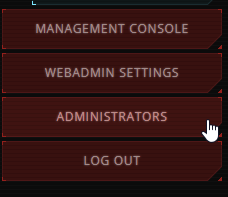
Adminand put in your set Admin Password. - Once signed in, you should see Administrators on the side
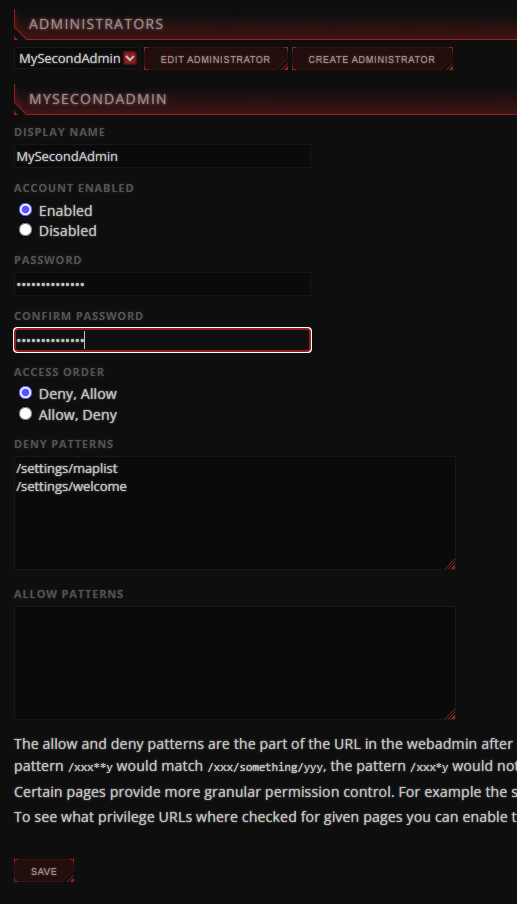
- Here you can create an Administrator and assign permissions as you see fit by dragging and dropping them to the Allow/Deny list.
Deleting Admins
Admins need to be manually deleted from the KFMultiAdmin.ini file.
- Open the AleForge Panel
- Go to the
File Manager - Navigate to KFGame\Config
- Open KFMultiAdmin.ini
- Delete the lines of code relating to the admin you wish to delete