

How do I upload my own world to my Veloren server?
Veloren allows you to migrate saves between singleplayer and other servers. Here is how to migrate your save to your server.
- Go to the AleForge Panel
- Shut down your server
- You will need to locate the
savesfolder of the world you are trying to upload. By default, this will be located inuserdata/server/on a server. For a singleplayer world on Windows, this will be located in%appdata%/airshipper/profiles/default/userdata/server/saves - Right click on this folder and compress it to a
.zipfile
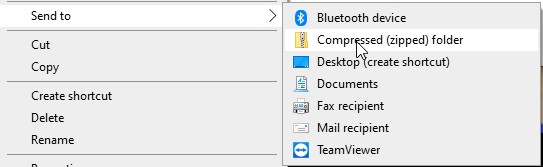
- Go to the
File Managerin the AleForge Panel - Upload your zipped-up
savesfolder touserdata/server/on your server - Right click on your
savesfolder and clickUnarchive
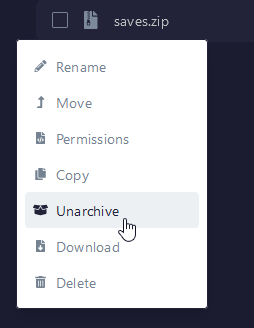
- Start your server
Your server will now start with your migrated world.