

How to backup and restore your Valheim Server
The AleForge Panel is a powerful server management tool gives you an easy way to create backups. This is extremely useful for Valheim due to it being an early access. It is also useful if you want to try out a different configuration of mods. [You can even schedule backups to happen regularly](https://help.aleforge.net/article/144-how-do-i-setup-an-automated- backup-of-my-server).
Here’s how you can backup your server
Backing Up Your Server
- Go to the AleForge Panel
- Open
Backups - Select Create Backups

Your server will begin backing up.
Restoring Your Server
- Go to the AleForge Panel
- Open
Backups - Select the three dots and click
Restore
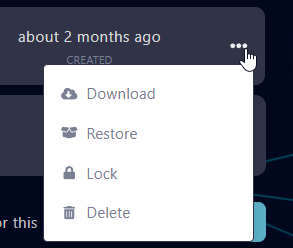
- Check
Delete all files before restoring backup
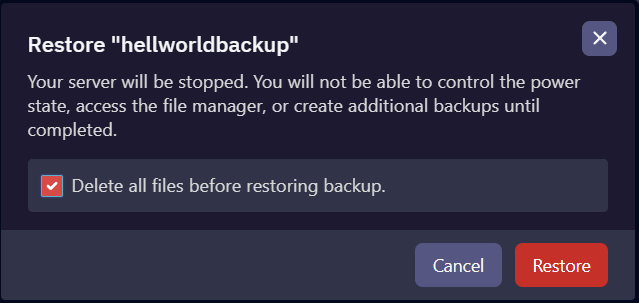
Your server will begin restoring.