

How do I upload folders to the Panel?
Due to the way folders are handled in a typical file structure, you cannot drag and drop folders onto the panel.
To get around this, there are a few things you can do
- Connect to your server using SFTP and drag and drop folders that way
- You can compress your folder and upload the .zip file to your server.
How do I compress a folder so that I can upload it?
- Right click on the folder you want to upload and select
Compress to Zip Filefrom the context menu.
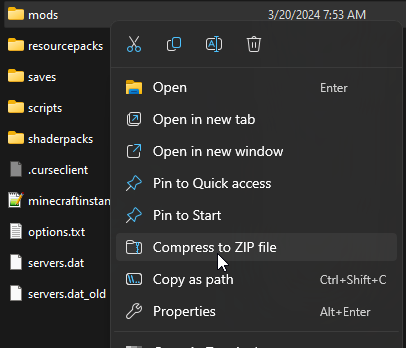
This will create a zip file out of that folder. In this example, it would be
called mods.zip
- Go to the AleForge Panel
- Head to the
File Managerand upload your.zipfile to the appropriate directory - Once it is uploaded, right click your
.zipfile and selectUnarchive
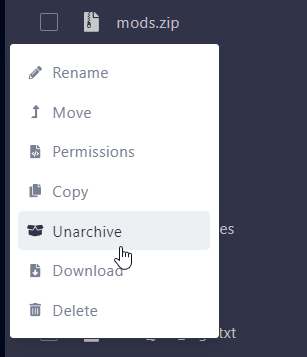
Your folder will now be uploaded to your server.