

How to create a subdomain for your server
Subdomains are a useful feature for your server. If your server gets moved onto a different node, it allows you to connect with the same IP address every time. Here’s how you can create one.
If your server gets moved and your server is running a game where you enter the port separately such as Terraria, you will still need to change the port to the new one.
Creating a subdomain
- Go to the AleForge Panel
- Go to
Subdomain - Enter in the name you’d like to call your subdomain. It may already be taken in which case you will have to find a different subdomain
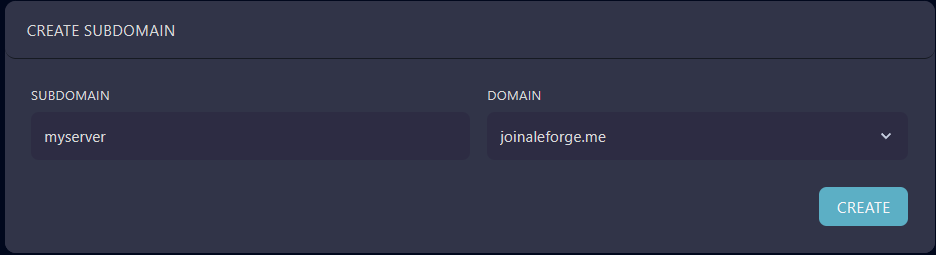
- Click
Create - You can now join your server using that subdomain instead of your servers IP. In this case, you would enter
myserver.join.aleforge.me
If your server is ever moved onto a different node, you will have to recreate the subdomain with the same name to bind it to the IP address of your new node. This only needs to be done once from the Panel and does not need to be done for any of your users.