

How to use Valheim World Modifiers
Valheim has world modifiers that you can use to further customize your experience. Here is how you can use them
- Go to the AleForge Panel
- Stop your server
- Go to
Startup - Find the
Modifiersvariable and enter your modifiers. If you want to use multiple modifiers, separate them with-modifierand put them side by side like this
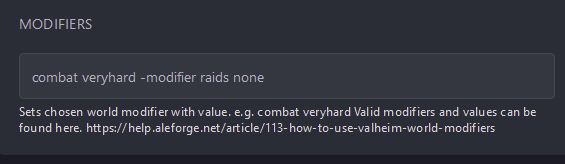
- Go back to the
Consolepage and start your server. - Your server will now start with your modifiers! You can use the F2 menu in game to verify if your modifiers are applied correctly.
List of Valheim World Modifiers
| Modifier Name | Values |
|---|---|
| combat | veryeasy, easy, hard, veryhard |
| deathpenalty | casual, veryeasy, easy, hard, hardcore |
| resources | muchless, less, more, muchmore, most |
| raids | none, muchless, less, more, muchmore |
| portals | casual, hard, veryhard |