

How do I add plugins to my Wordpress site?
Wordpress plugins are used to add functionality and features to your Wordpress site, such as SEO optimizations, e-commerce, blog features, and much more. Here’s how you can install them onto your Wordpress site.
Adding plugins to your Wordpress site
- Open the Wordpress Panel
- Select your Instance
- Select
Plugins
- Here you’ll find a list of all of the plugins currently installed in your instance
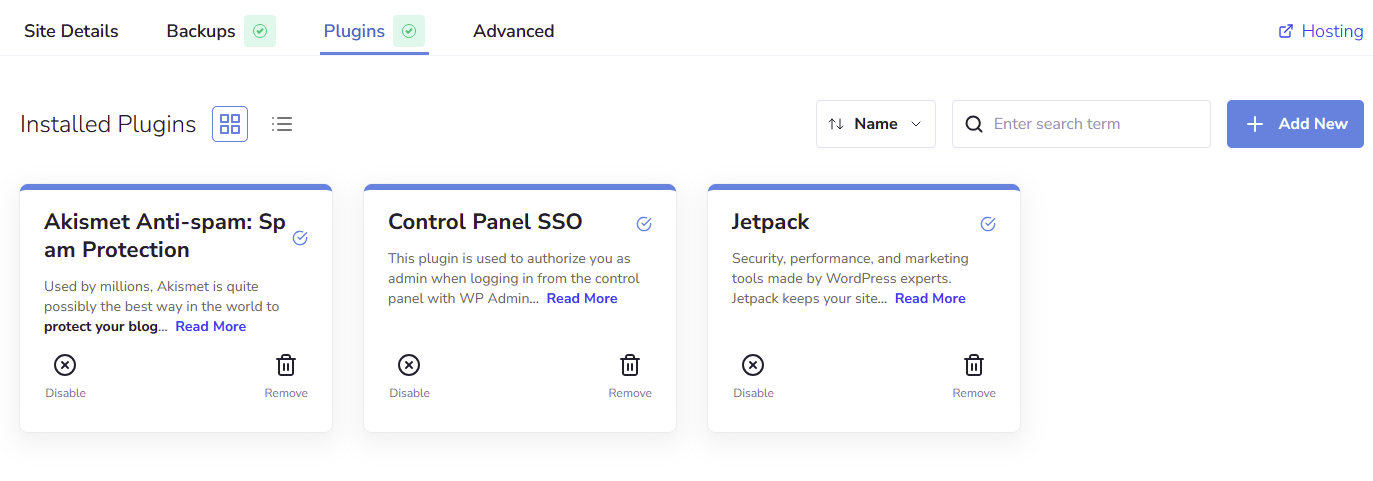
- Select
+ Add New - Here you can search for the plugin you want to install. Once you’ve found one, you can install it by clicking the blue download button

Your plugin will begin installing onto your Wordpress site
Closing
Now you know how to install plugins onto your Wordpress site.
Get your own super powered affordable Wordpress hosting today!