

How do I add Admins to my Mordhau server?
Quick Links
- Using AleForge’s Blacksmith’s Portal
- Self-Hosting/Other Providers
This guide will show you how to become an Admin on your Mordhau server and add more admins as necessary.
Configuring the Admin Password
Using Blacksmith’s Portal
- Open the Blacksmith’s Portal
- Go to
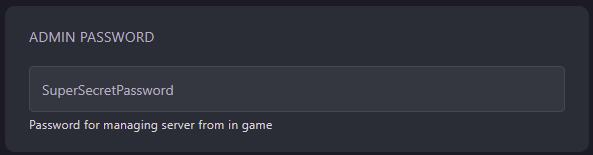
Startup - Set the
Admin Passwordvariable and take note of it as you will need to enter this in Mordhau a moment
Self-Hosting/Other Providers
- Go to where your Mordhau server is installed
- Navigate to your config file, by default the file path will be similar to
Mordhau/Saved/ConfigLinuxServer/Game.ini - Within the config file, search for
AdminPassword= - Set your admin password and take note of it as we will need to enter this into Mordhau in a moment
Becoming an Admin
- Connect to your server
- Open the in-game console by pressing the
~key - Enter the command
AdminLogin <AdminPassword - You’ll now be authenticated as an admin on your server.
Adding more Admins
Once you are that you are an admin, you can add other players as admin with the following command
AddAdmin <PlayerName>
Closing
Administrators can use all sorts of handy commands to moderate your server, allowing them to ban and unban players as necessary.
Get your own super powered and affordable Mordhau server today!