

How To Set Up A Whitelist / Make Your Server Private
A white list is your primary means of preventing unauthorized entry into your server. Any official Minecraft user names that you put in this list will be allowed to enter your server, while anyone not on it will be denied access.
Activating the Whitelist
- Login to your AleForge Panel
- Click
Server Properties - Look for
ENFORCE-WHITELISTand enable it.
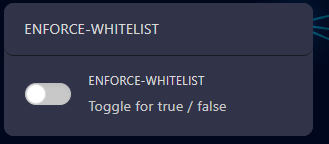
- Be sure to hit
Savenear the top of the page after you have changed this setting.
Alternatively, with some versions of Minecraft, you can also run these commands from the console to control white listing:
| Command | Description |
|---|---|
whitelist on | Turns Whitelist on |
whitelist off | turns Whitelist off |
Adding Users to the Whitelist
You can add a user via console or in the game itself. To edit via console, you
will need to click on Console in the game panel under the navigation menu.
You can add users to the white list by typing into the console the following:
whitelist add username
To add the user in-game, you would follow the same format: /whitelist add username