

How do I install mods onto my Vintage Story server?
Quick Links
- Using AleForge’s Blacksmith’s Portal
- Self-Hosting/Other Providers
Vintage Story allows you to install mods on your server, allowing you to experience the game differently.
Title of the section we are completing
Using Blacksmith’s Portal
- Download the mods you’d like to use from the official Vintage Story modding website
- Open Blacksmith’s Portal
- Go to
Files - Open the
Modsfolder and upload your downloaded.ziphere
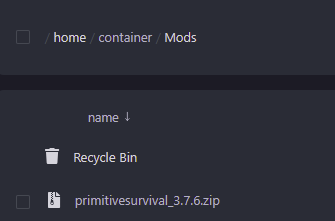
- Restart your server
Self-Hosting/Other Providers
- Download the mods you’d like to use from the official Vintage Story modding website
- Find where your Vintage Story server is installed
- Open the
Modsfolder, if it is not already there you can create this folder - Place your downloaded
.zipfile here - Restart your server
Closing
Now your server will start up with your installed mods!
Get your own super powered and affordable Vintage Story server today!