

How do I add mods to my Minecraft server?
To add mods to your Minecraft server, you will first have to find mods to download. You can use sites like CurseForge or Modrinth to find mods. When looking at mods, be sure to take note of which version of Minecraft a mod supports. e.g. Fabric, Forge, Spigot, Paper, etc.
Not all mods are compatible between different mod loader versions. Be sure to double check this before installing your mods!
Once you know which mod loader you want to use, [you can change your Minecraft server to that version.](https://help.aleforge.net/article/579-how-do-i- change-my-minecraft-server-version) Now we can work on installing mods to your server.
- Download your mods
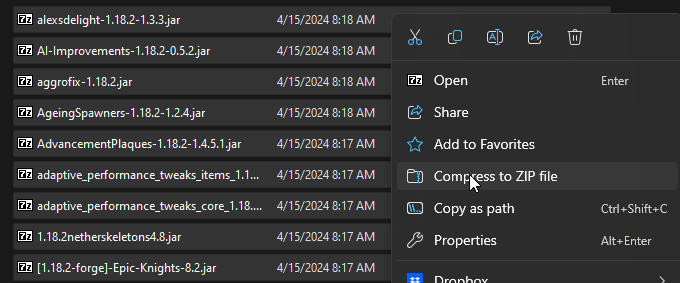
- Select all your mods and compress them to a
.zipfile calledmods.zip
- Go to the AleForge Panel
- Start your server and wait for it to get to the
Runningstate - Stop your server. We are making sure that the mod loader generates the correct folders for mod installation
- Go to the
File Manager - Upload your
mods.zipfile to themodsfolder. If you are using Spigot or a fork of it this folder will be calledpluginsinstead. - Start your server