

How to add a map data store for your map
If you want to add a Steam Workshop map to your server and add it to your servers map rotation, you will have to create a datastore for it so the server can see it.
- Add the Steam Workshop map to your server
- Go to the AleForge Panel
- Head to File Manager
- Go to
KFGame/Cache/MODID/0/BrewedPCwhere theMODIDis the ID of your map mod. Take a note of the file here as this is what the server will reference when adding the mod to the map tool and data store. - Go to
KFGame/Config/LinuxServer-KFGame.ini - Scroll down until you find the data stores for each of the Killing Floor 2’s stock maps
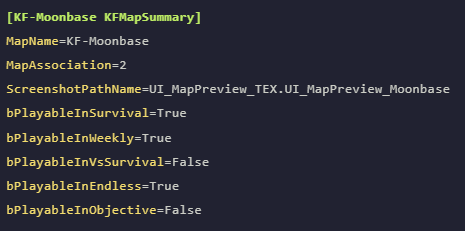
- Add your own data store for your added map
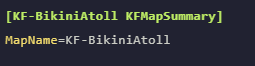
You have successfully added your data store. [Now you can add it to your custom map cycle.](https://help.aleforge.net/article/370-how-to-make-a-custom- map-cycle)