

How to configure your Aloft server
Quick Links
- Using AleForge’s Blacksmith’s Portal
- Self-Hosting/Other Providers
This guide will show you how to configure your Aloft server
Configuring Your Aloft Server
Using Blacksmith’s Portal
- Go to the Blacksmith’s Portal
- Open
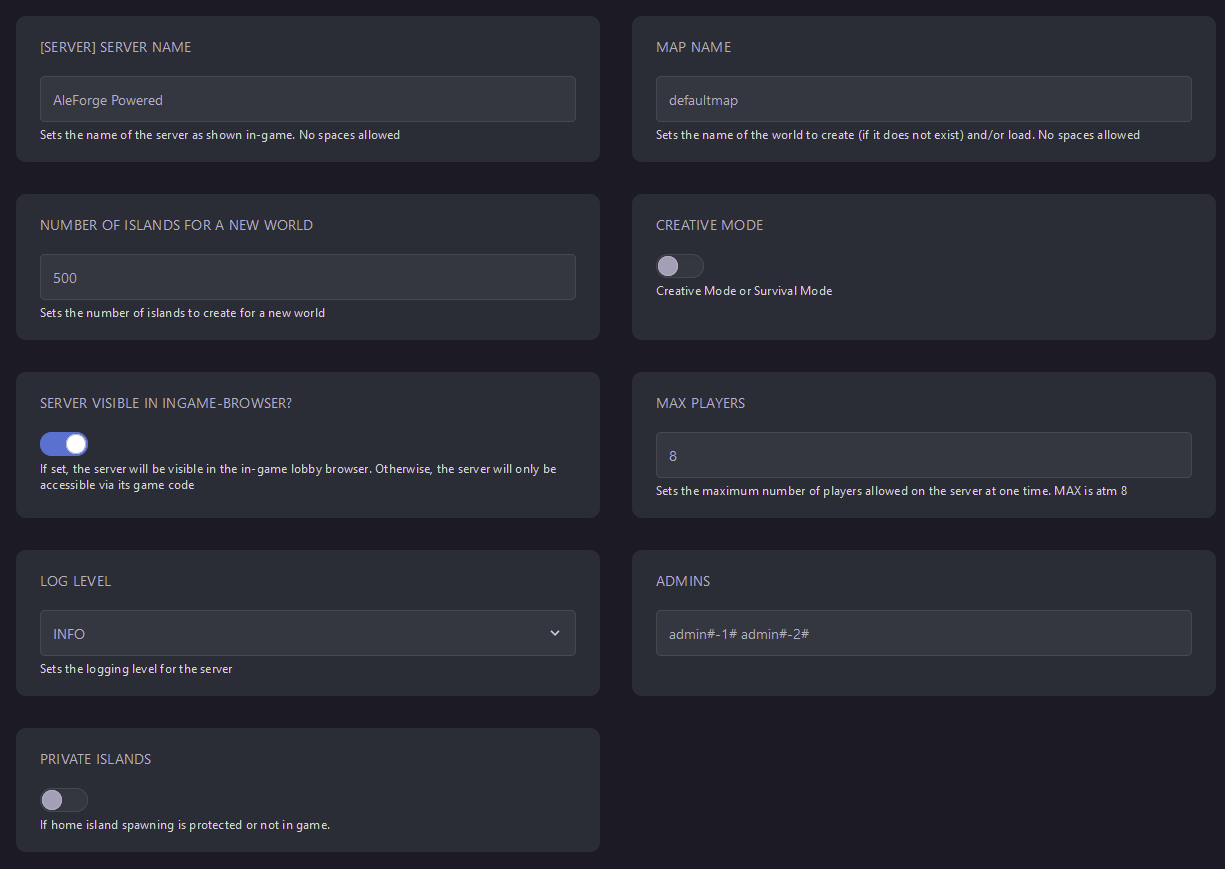
Startup - Here, you can find all the parameters you can adjust for your Aloft server. Edit one and restart the server, and it will take effect.
Self-Hosting/Other Providers
- Go to your Aloft Dedicated Server’s install directory
- Open
AloftServerNoGuiLoad.ps1with the text editor of your choice - Edit line 73 to make adjustments to the game config. You will want to edit the numbers/text between the two # symbols

- For example, if I wanted to change the player count from 8 to 4, I would change
playercount#8#toplayercount#4# - Save the file and then launch the script
Closing
Now you know how to configure your Aloft server to play just how you need it to!
Get your own super-powered and affordable ALOFT server today!