

How do I use a randomly generated world with 7 Days To Die?
Quick Links
- Using AleForge’s Blacksmith’s Portal
- Self-Hosting/Other Providers
If you’re sick of playing on Navezgane, you can generate a random world to play 7 Days To Die on. Here’s how you can generate one.
Generating A Random World
Using the Blacksmith’s Portal
- Open the Blacksmith’s Portal
- Go to
Startup - Set
World Mapto RWG (Random World Generation)
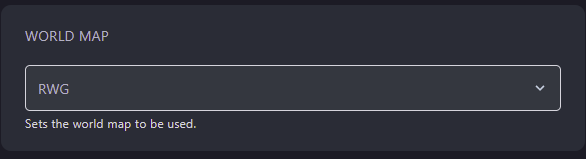
- Optionally set
World Gen Seedto use during world generation - Change the
World Map Sizeto your desired size. - Change
World Nameto force the server to generate a new world. If you want to switch between worlds, you’ll do so here with the name of the world.
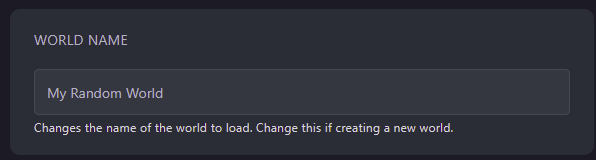
- Restart your server
Self-Hosting/Other Providers
- Open the location of your servers files
- Open
serverconfig.xml - Locate
GameWorldand change the value toRWG

- Just under
GameWorld, you can findWorldGenSeed. Here you can specify a seed to generate your world with - Under
WorldGenSeedyou’ll findGameName. Change this to something different to make your server generate a new world. - Save the file
- Restart your server
Closing
Now you know how you can generate a random world to play on in 7 Days to Die!
Get your own super powered and affordable 7 Days to Die server today!