

How do I use the Server Importer?
The AleForge Panel features a the Server Importer tool which makes migrating from another host a breeze. Here’s how you can use it.
When importing from another host understand that some hosts will support games in different ways, meaning that there may be differences in how a mod gets automatically installed. If you run into any issues after importing your server, feel free to contact support and we will help you as soon as we are able to
- Go to the AleForge Panel
- Go to
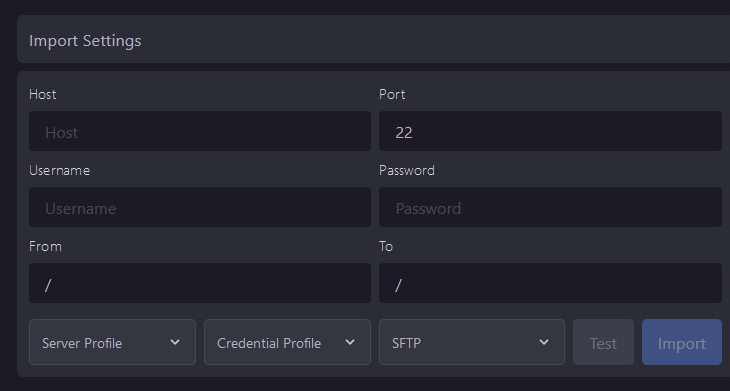
Server Importer - Enter in the appropriate FTP or SFTP information from your old host and select
Import
It is recommended that you wipe all existing files on your server before importing for best compatibility