

How do I add a token to my ECO server?
Quick Links
- Using AleForge’s Blacksmith’s Portal
- Self-Hosting/Other Providers
ECO requires that you generate a token from your login at https://play.eco/account. We’ll walk you through the process of setting this up so you can play on your ECO server.
Generating a token
- Login to https://play.eco/account
- Under
Server AuthenticationclickGenerate Token

- Copy the generated token as we will need this later
Adding a token to your ECO server
Using the Blacksmith’s Portal
- Open the Blacksmith’s Portal
- Go to
Startup - Paste your token into the
[ACCOUNT] SLG TOKENfield
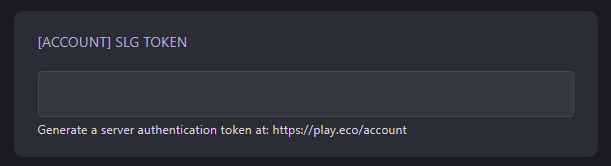
- Start your server
Self-Hosting/Other Providers
- Go to your where your server files are located
- You will need to add
--userToken=""to your startup file - Between the quotes, paste your token
- Save your startup file, and run it
Closing
Now you know how to add a token to your ECO server!
Get your own super powered and affordable ECO server today!