

How to add an admin to your ECO server
To make a player admin on your ECO server, you’ll first need to find their Steam64ID. You can find out how to do that here.
- Go to the AleForge Panel
- Stop your server
- Go to the
File Manager - Open
Configs/Users.eco - Search for
Admins - Add the Steam64IDs of the players you want to add as admin to
$values
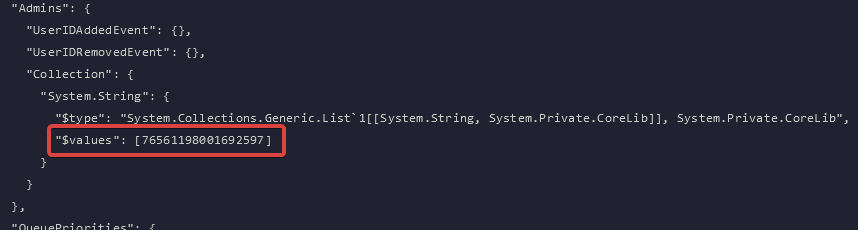
- If you are adding multiple Admins, separate each SteamID with a comma.
- Restart your server